 Nuvi
NuviEverything Nuvi does
Nuvi, the AI note taker for iPhone, iPad and Apple Watch, turns a recording into a transcript, a summary and a to-do list. Here is each part, and a plain list of what it does not do.
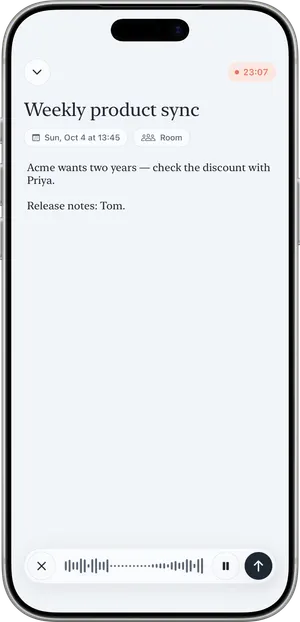
Record
One tap starts it. Recording continues with the screen locked, and a Live Activity shows it is running.
- Record on iPhone, iPad or Apple Watch.
- Start from the app, a widget, the Lock Screen, Control Center, the Action button, Siri or a shortcut ("Start or Stop Recording").
- Two microphone modes. Room hears every voice around the device. Just me reduces background noise for one voice.
- A recording can be up to one hour. It stops by itself at the one-hour mark.
- No connection? The recording is saved on the device and sent for transcription when you are back online.
- Import an audio file, or a video with sound, from Files (up to 60 minutes).
Transcript, split by speaker
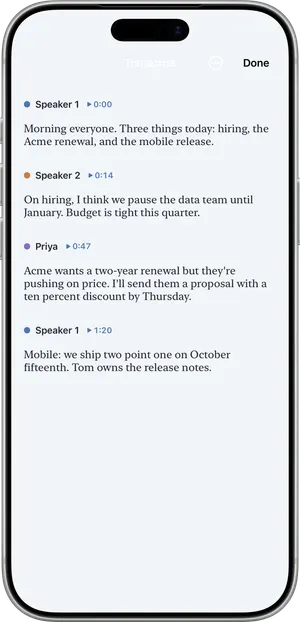
Every speaker gets their own line, with a time you can tap to hear that moment again.
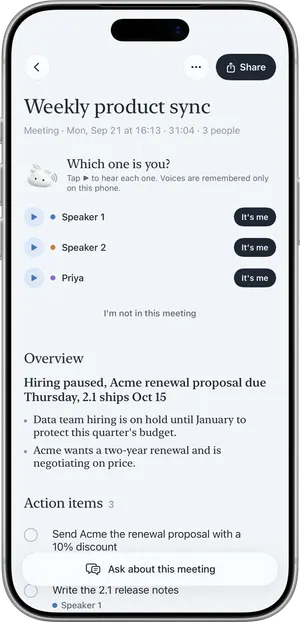
- Name a speaker by tapping the label. "Save and remember voice" lets Nuvi recognize that person in later recordings.
- Voice recognition happens with voiceprints kept on your device. They are not synced and not stored on a server.
- "Fix a word…" corrects a misheard word everywhere in the note, and in later recordings automatically.
- Custom vocabulary for names, products and jargon: 10 words on Free, up to 100 on Pro, plus suggestions for your role.
- Many languages, detected automatically. You can pin one under Settings > Spoken language.
How speaker separation works, and why it sometimes gets it wrong: speaker diarization explained.
Summary, decisions and action items
The part you read first. It is included in the free plan.
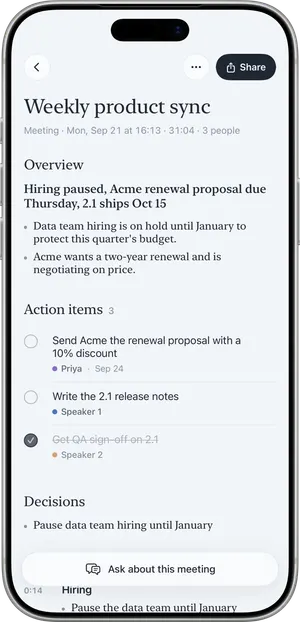
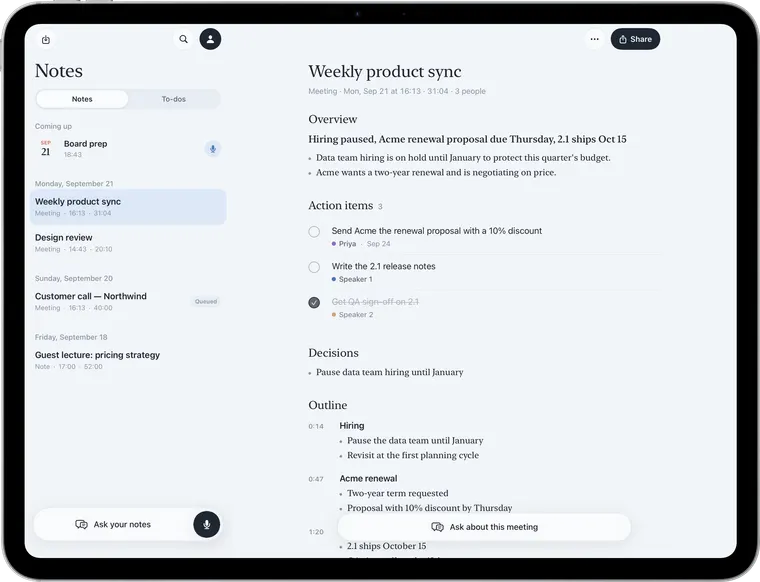
- An overview in a sentence or two, then the key points.
- Decisions listed on their own.
- Action items with an owner and a due date when they were said in the recording.
- Written in the language that was spoken.
- Share the summary as text for free (it adds a "Made with Nuvi" line). Pro exports a PDF.
A summary is AI output. Check anything important against the recording.
To-dos
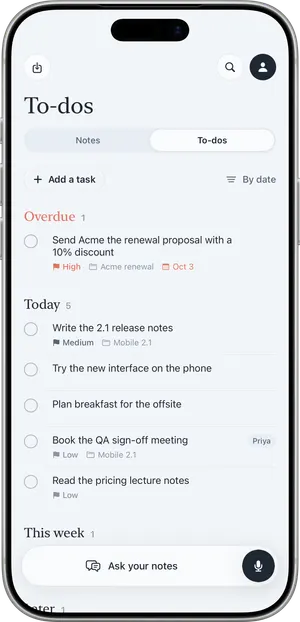
Action items from every recording land in one list, grouped as Overdue, Today, This week and Later.
- Each to-do links back to the note it came from.
- Add a task by hand when it did not come from a recording.
- See them in the To-dos widget and on Apple Watch.
Ask
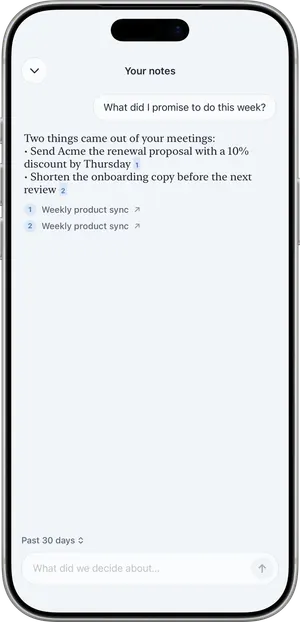
Ask a question in your own words and get an answer from what was actually said, with the notes it came from cited.
- Ask about one note or meeting on any plan.
- With Pro, ask and search across all your notes.
- Your question and the relevant transcript text are sent to the same servers as transcription; nothing is kept there.
iPhone, iPad and Apple Watch
One app for iPhone and iPad, with a companion app on the watch. Notes sync and restore through your own private iCloud.
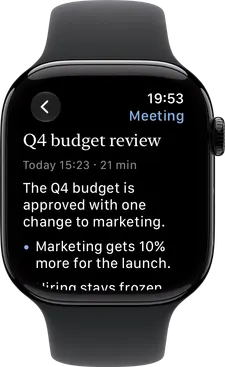
Apple Watch
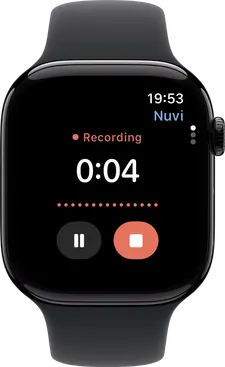
Records on the wrist and hands the file to your iPhone, which gets it transcribed. Read notes, summaries and to-dos on the watch.
Widgets
Record, Recent notes, Latest summary, To-dos and Coming up. Lock Screen widgets and a Control Center control.
Calendar capture (Pro)
A reminder two minutes before a meeting in your calendar, and the recording gets the meeting's title. Events are read on the device and never changed.
iCloud sync
Your notes live on your device and in your own private iCloud. The developer cannot read it.
No account
No sign-up, no email, no password. The app signs in anonymously in the background.
Accessibility
Dark mode and Dynamic Type are supported throughout.
What Nuvi does not do
It is better to know before you install it.
- It does not join Zoom, Google Meet or Microsoft Teams calls. There is no meeting bot. See how bot-free note takers work.
- It does not record phone calls.
- There is no Android, web, Mac or Windows app.
- There are no team workspaces, shared folders or integrations with tools such as CRMs, Slack or Notion.
- It does not transcribe on the device. Transcription and summaries need an internet connection.
- The app's interface is in English, although it transcribes many languages.
- It is not always right. Transcripts, summaries and speaker labels can contain mistakes.
If one of these matters to you, the comparison pages say which other tools do it.
See the limits and the price
The free plan includes the transcript, the summary and the to-dos. Pricing lists exactly what Pro adds, and Privacy by design shows where your audio goes.
